What is branching ?
Branching lets you create isolated copies of your project's data to work on independently. Different teams can work on separate branches simultaneously without affecting each other, then merge changes back when ready.
For a full list of what is branch-scoped versus project-wide, and which integrations support branching, see Scope and Integrations.
Branching is available on Enterprise plans. Upgrade your plan to use this feature.
If you use the self-hosted version, you must set up the license to use this feature.
Common Use Cases
Translating a new feature before release. When a new feature is being developed, you can create a branch and add or update translation keys in isolation. The rest of the team continues working on the main branch without seeing incomplete or in-progress copy. Once the feature is ready, you merge the branch and all its translations land at once.
Preparing a release while translation work continues. Branches let you freeze a snapshot of translations for an upcoming release while day-to-day translation work continues uninterrupted on the main branch. The release branch can be reviewed, approved, and merged independently.
Experimenting with copy changes safely. If you want to try a different tone, rephrase key UI strings, or A/B test messaging, you can do it in a branch without any risk to production content. Discard the branch if the experiment is abandoned, or merge it when ready.
Enabling Branching
Branching is disabled by default. To enable it, go to Project settings → Advanced and turn on Use branching.

Key Concepts
Before working with branches, it helps to understand the following terms:
- Branch — an isolated copy of all translation keys and their translations at the point of branching
- Default branch (
main) — the primary branch every project starts with; it always exists and cannot be deleted - Protected branch — read-only by default; translations are typically changed via merge, but users with permission can still edit directly
- Merge — the process of applying changes from one branch into another, with conflict detection and resolution
Navigating Between Branches
The branch selector in the breadcrumb bar lets you switch between branches. All views that work with translations — dashboard, translations, import, export, and tasks — reflect the currently selected branch. Click the branch selector to open the list of available branches and switch to a different one.
Content delivery configurations work differently: each configuration is pinned to a specific branch rather than following the branch selector. This lets you maintain dedicated CDN endpoints per branch — for example, a production endpoint publishing from main and a preview endpoint for a feature branch. See Content Delivery and Branches for details.

Managing Branches
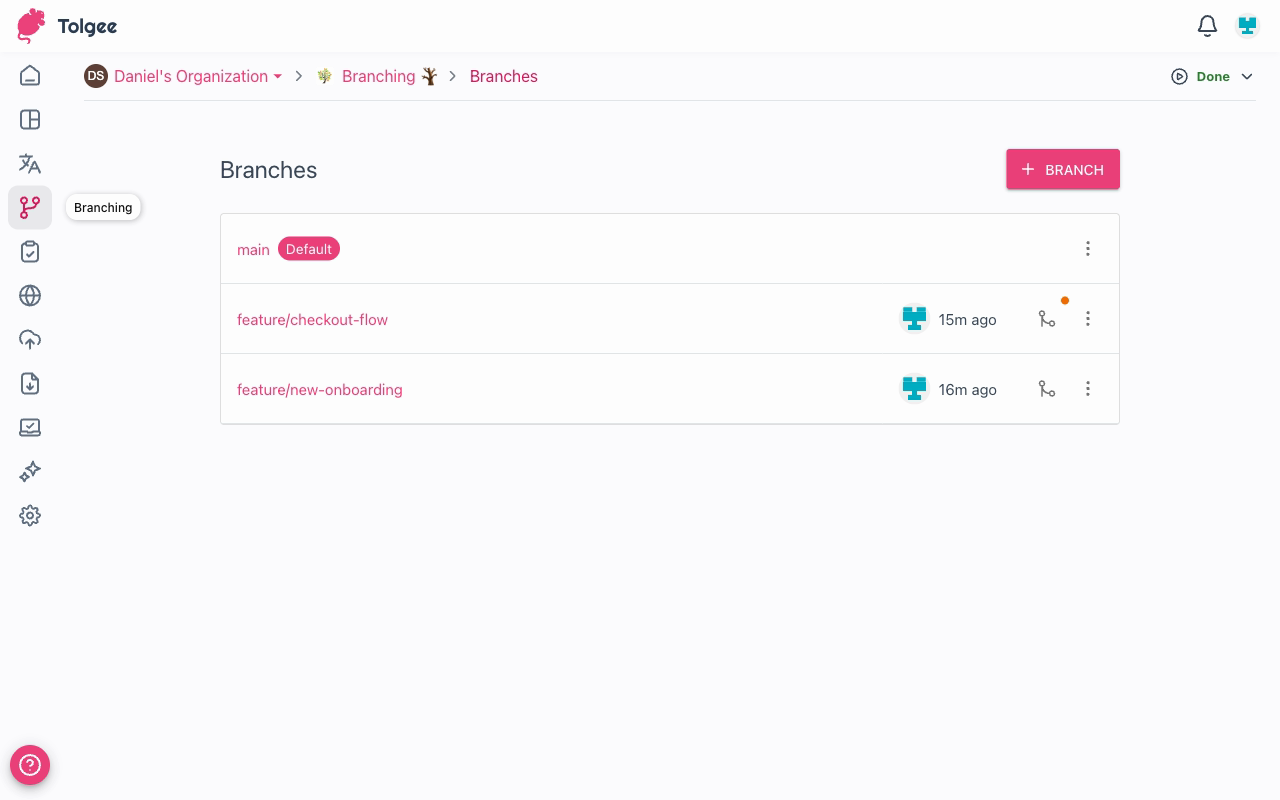
Go to Branching in the project sidebar to manage all branches for the project.
Creating a Branch
Click + Branch to open the create dialog. Give the branch a name and optionally choose a source branch to branch from (defaults to the default branch).

Branch names can contain letters, numbers, slashes, hyphens, and underscores. Slashes are commonly used to group branches by purpose, e.g. feature/new-onboarding.
Starting a Merge
To start a merge, click the branch icon button next to a branch in the list. This starts a merge from that branch into its origin branch. See Merging Branches for the full merge workflow.
Branch Actions
Each branch has a ⋮ menu with the following actions:
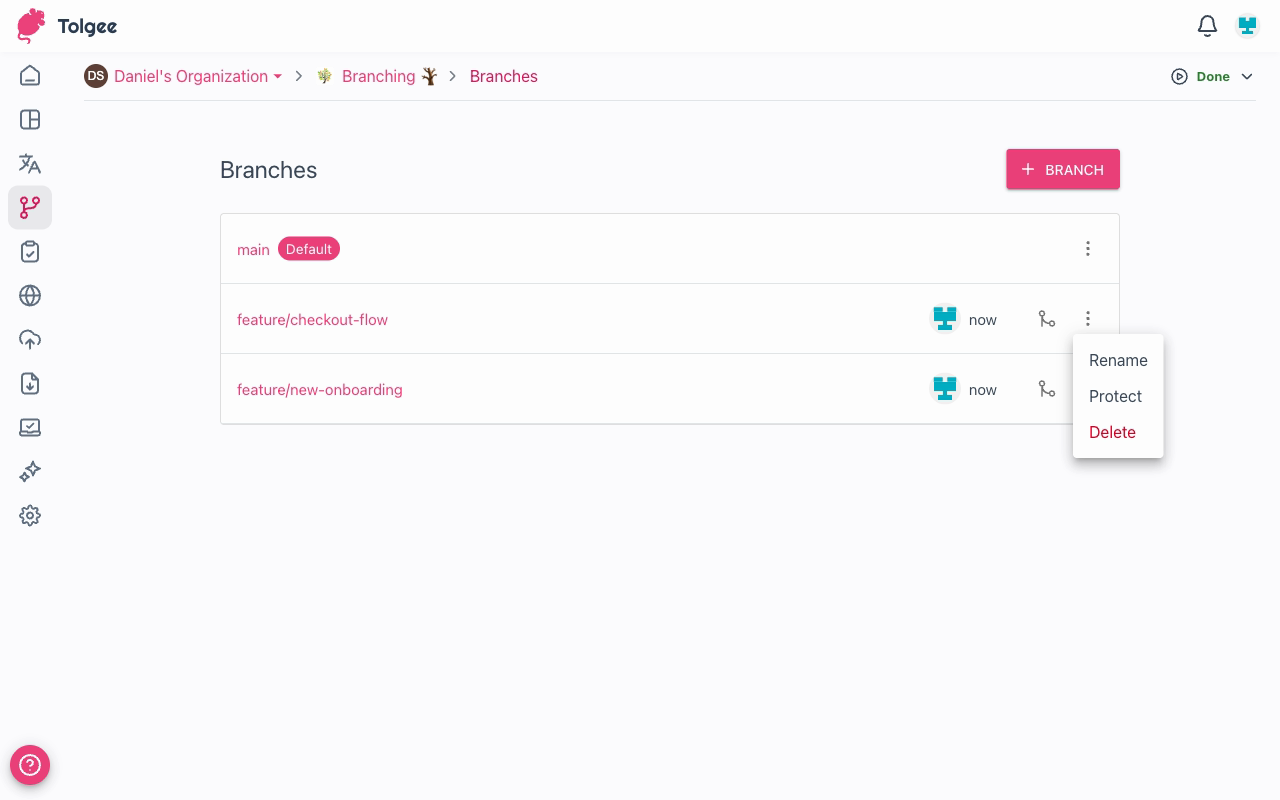
- Rename — change the branch name
- Protect / Unprotect — toggle the protected state. A protected branch is read-only by default; users with permission can still edit it directly. Useful for guarding stable branches.
- Delete — permanently remove the branch and all its translations
Deleting a branch is permanent. All translations that exist only in that branch will be lost.
Permissions
All project members can view branches and switch between them.
The table below summarizes actions that require explicit branching permissions:
| Action | Required permission |
|---|---|
| Create, rename, delete, protect branches | Branch management |
| Edit translations directly in a protected branch | Write to protected branch |
| Merge branches | Branch management |